Model the business
Accounts, entities, periods, years, scenarios, versions and up to eight custom dimensions. Hierarchies roll up as you define them: added, subtracted or ignored.
Can AI write an EPM stack in 12 hours? Claude Opus 5.5 Extra can! How it’s built
Open-source planning and budgeting for finance teams
Free and open source. Fork it on GitHub and deploy it on your own infrastructure.
NexTwelve holds your plan in a real dimensional model, with data-entry forms, reports and imports from your general ledger on top. Every change is audited, and data or metadata can go back to any moment.
No sign-up. You get a private copy of a sample company for 24 hours.
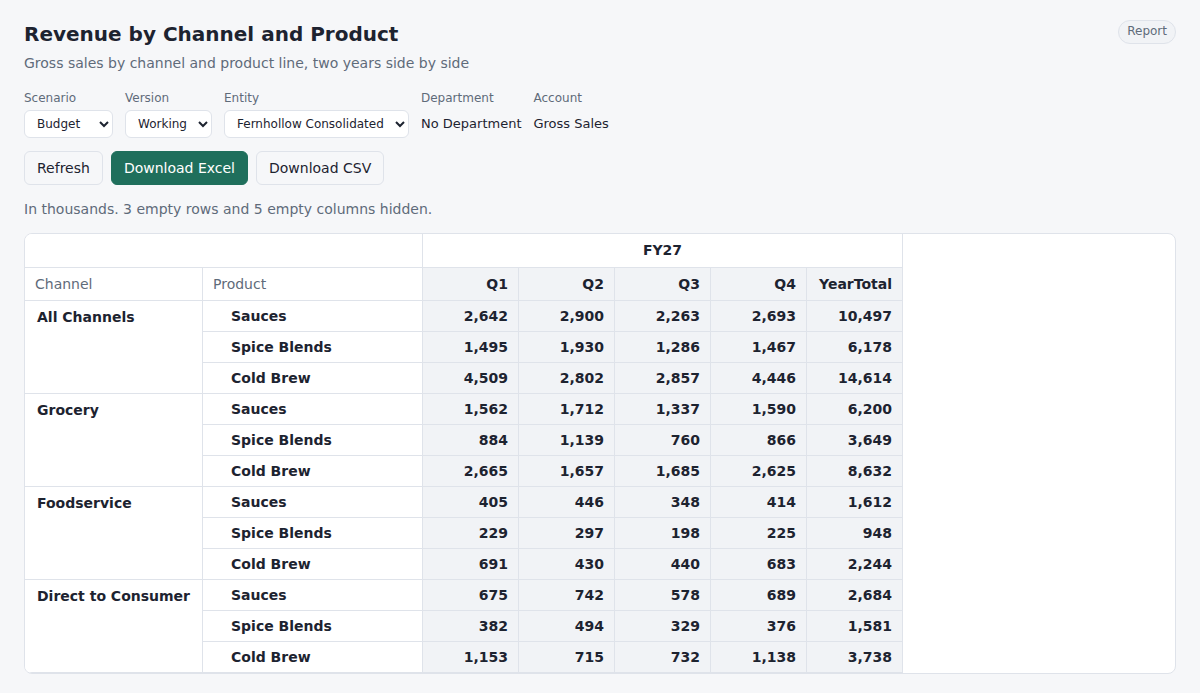
Accounts, entities, periods, years, scenarios, versions and up to eight custom dimensions. Hierarchies roll up as you define them: added, subtracted or ignored.
Saved forms with page choices and up to three dimensions on rows and columns. Paste a block from Excel; if someone else changed a cell meanwhile, you see it before anything is saved.
Read-only reports with empty rows hidden, figures in units, thousands or millions, and one-click downloads to Excel or CSV.
Import CSV or Excel exports through mapping rules and crosswalk workbooks. Every loaded cell drills back to the source lines it came from.
Roles per application, member-level read and write access on secured dimensions, and plan windows that close periods for entry.
Every cell change is audited on a hash chain. Put data, members, forms or reports back to any moment, from history or from nightly snapshots.
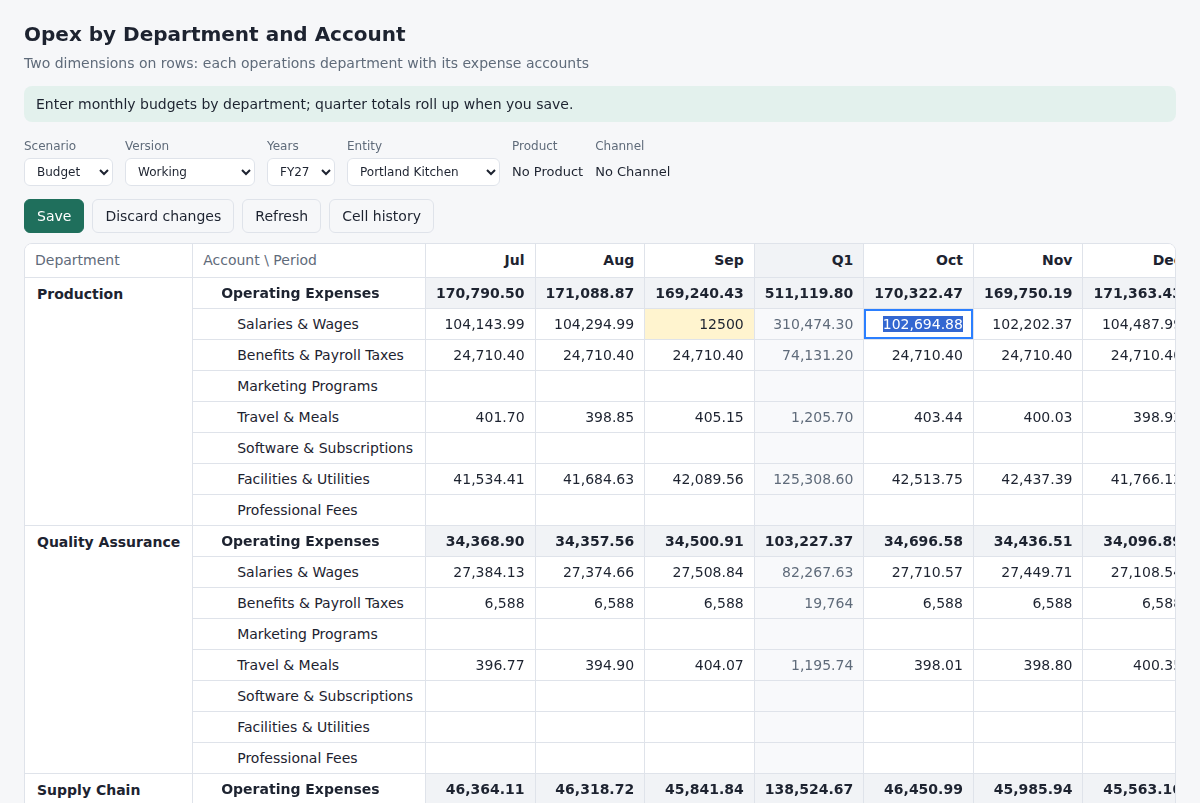
Put department and account on rows and months on columns, or any other combination. Only the cells a planner may change are writable; totals stay locked and roll up when the form is saved.
Everyone sees only the members they have access to. A planner for one region gets that region's rows and choices, in forms and in reports, and can write only to it.
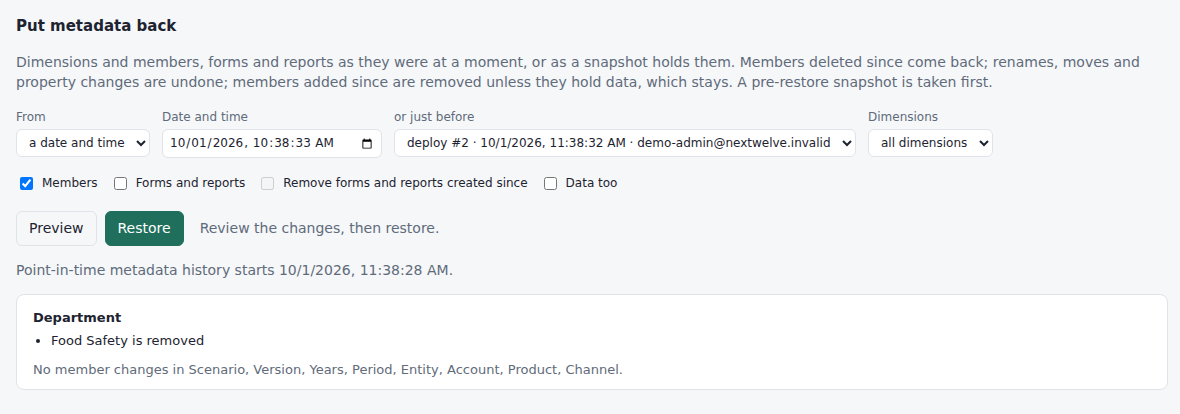
Preview exactly what a restore would change, then run it. Members deleted since come back with their history. Members added since stay if they hold data. A snapshot is taken first, so the restore itself can be undone.
Restore a slice of data to a moment, a whole application to a snapshot, or a snapshot into a new application next to the original.
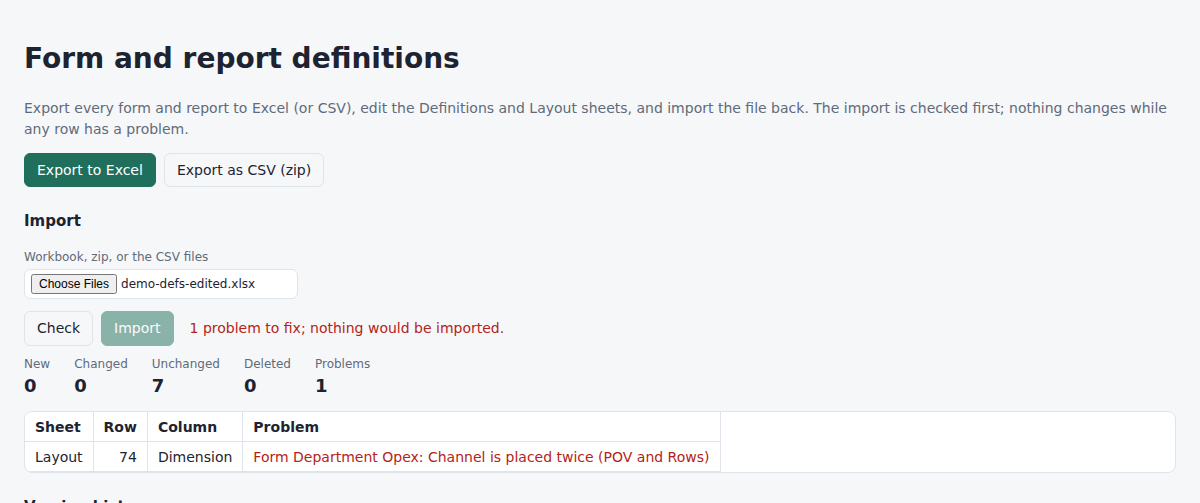
Export every form and report to a workbook: one sheet of settings, one sheet of layout rows. Change them in bulk, import the file back, and check it first: a problem is pointed out by sheet, row and column, and nothing changes until the whole file is right.
Each saved version is kept, including deleted definitions, and an old one comes back in a click.
Fernhollow Foods is a fictional maker of sauces, spice blends and cold brew, with kitchens in Portland and Savannah and a co-packer in Vancouver. The demo gives you your own copy of its operating plan: FY26 actuals, an FY27 budget, July actuals loaded from a GL export, and its forms and reports.
Change anything. Nobody else sees your copy, and it is deleted after 24 hours. Start over at any time for a fresh one.
Everything on this page is in the repository, under the Apache License 2.0: the API, the browser app, the database migrations, and the sample company behind the demo. Fork it and deploy it to your own Cloudflare account and Postgres database. There is no license fee; you pay only for your own hosting.
Your plan, your actuals and your audit trail stay in a database you control, and you can read every line of the code that touches them.
The README walks through setup: create the database and the bucket, run the migrations, and deploy with Wrangler. Docker Compose runs the whole thing locally.
A Google Sheets add-on, so planners work in Sheets against the same model, security and audit trail; then calculation rules, currencies and approvals. See the roadmap.